Welcome to the first post on our blog. We are glad you are here, and we want to share what ClockItDown is all about.
Waiting can feel weird. You know the date, you can see it on your calendar, and still the time before it feels blurry. ClockItDown turns that wait into something you can actually see.
Why count at all?
Somewhere between “a few weeks” and “it’s soon,” time gets fuzzy. A countdown makes it clear. You can share one link and show the exact days, hours, minutes, and seconds left. It helps teams stay on deadline, and it also feels better to count down together instead of just knowing a date.
How it works
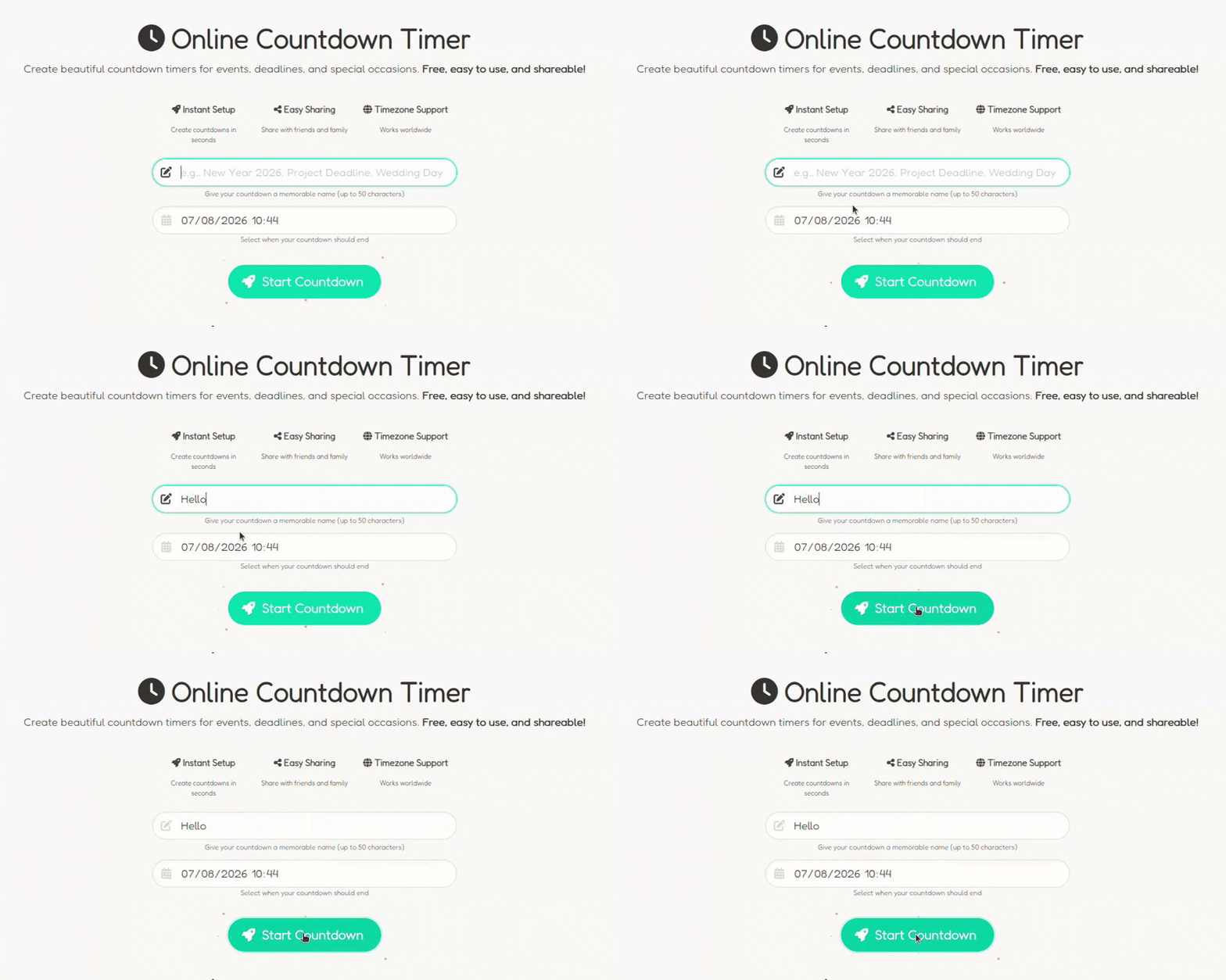
It takes three steps. Name your event (up to 50 characters), choose a date and time, then click “Start Countdown.” You get a link you can send in a message, or share on social media.
What you get
It is free. You do not need an account, and there is no limit on how many timers you can create. Every timer gets a unique URL that updates in real time. The counter adjusts automatically to each viewer’s timezone, so everyone sees the event at the right time. You also get one-click buttons to add the event to Google Calendar, Apple Calendar, Outlook, or Yahoo Calendar. It works on phones, tablets, and desktops.
What people use it for
People use ClockItDown for weddings, holidays, vacations, project deadlines, birthdays, and product launches. If it has a date, it can have a countdown. Creating a timer takes under 30 seconds, and there is no sign-up required.
Come count with us
New timers appear every day, from concerts to sporting events like the Tour de France to album releases. If you create one, tell us what you are counting down to.
Head over to clockitdown.com!